Abusive IPs report
Up to 60 addresses from your network seen scanning or attacking hosts across the internet, every day. Free for every verified network.

Guest User
Please login to access your profile
For hosting providers and ISPs
Verify your AS number and get a free daily report of the abusive IPs our sensors see from your network. Open every record behind them with CTI Unlimited.
Up to 60 addresses from your network seen scanning or attacking hosts across the internet, every day. Free for every verified network.
Open each observation with its source IP, time, protocol, port and captured payload, then follow it into analysis.
Find open, residential and datacenter proxies, Tor exit nodes and DDoS sources operating in your address space.
See command and control servers hosted in your network, the scanners reaching them and the malware samples behind them.
Up to 60 IPs with their hits and country, the 5 most active with protocol, sensors hit and organization, and the totals for your whole network.
Each IP links to the records behind it. On a free account each IP you open uses one of 5 lookups a day, and records go back 24 hours.
The hits and the number of abusive IPs count every address our sensors saw from your network, even on days with more than 60.
When our sensors see no abusive activity from your addresses, no email is sent.
Every report carries a one click unsubscribe link, and My ASN switches it on or off at any time.
With CTI Unlimited, fetch up to 10.000 abusive IPs from the last 24 hours as one IP per line, CSV or JSON for your ticketing system.
Daily abusive IPs report (your ASN) | Whatoblock.com
Whatoblock.com Security to [email protected]
Enter it when you sign up as a hosting provider, or later from your profile. We show the organization it is registered to before you send it.
If your account email is on the same domain as the AS number's registered abuse contact, the number is confirmed once you verify your email. Our team reviews every other request, including addresses at public mail providers.
Switch on the daily abusive IPs report. With CTI Unlimited, open every record and switch on the network alerts.
IP Intelligence Report · 154.16.169.171
PDF, 10 pages downloaded from IP Intelligence
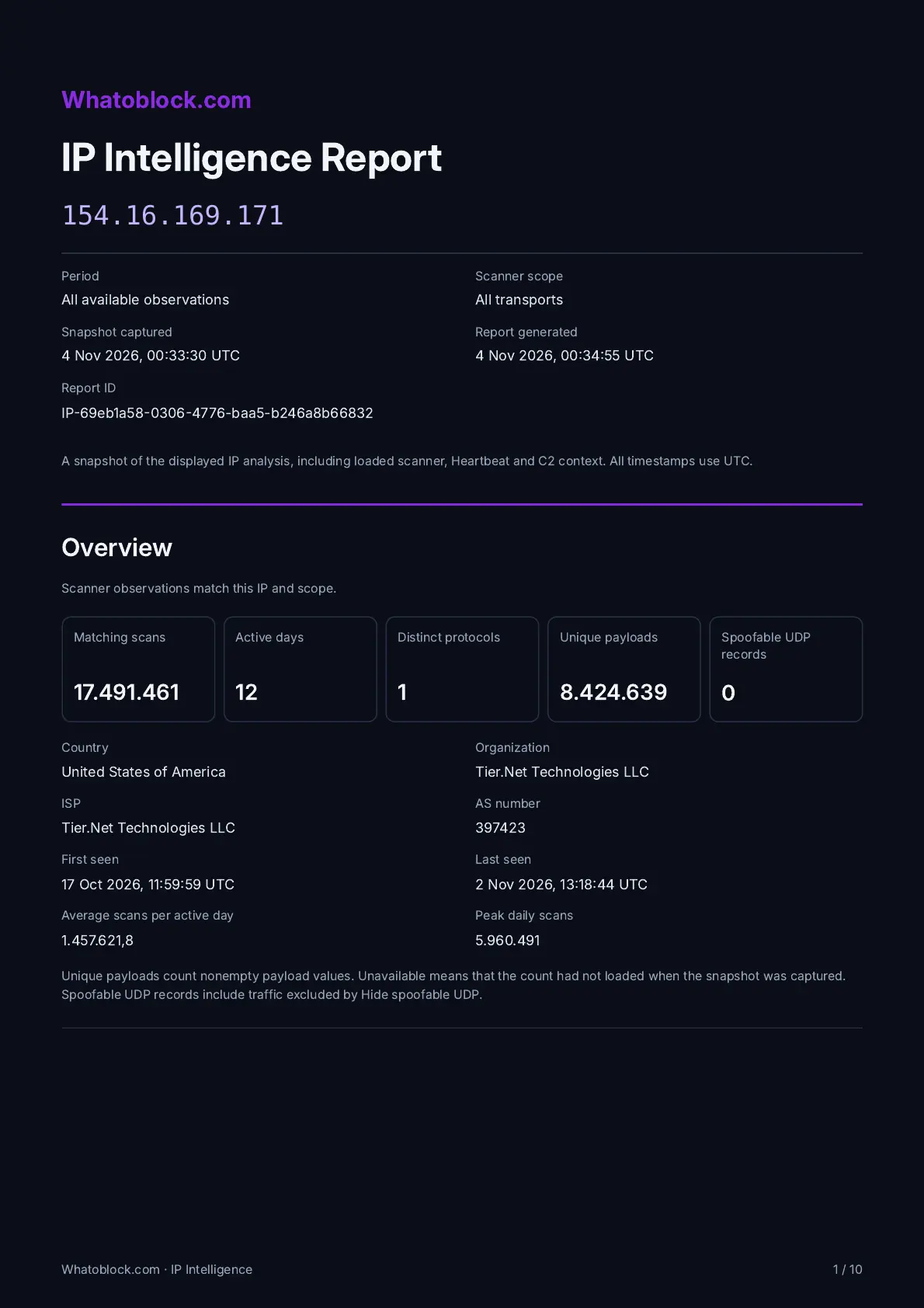
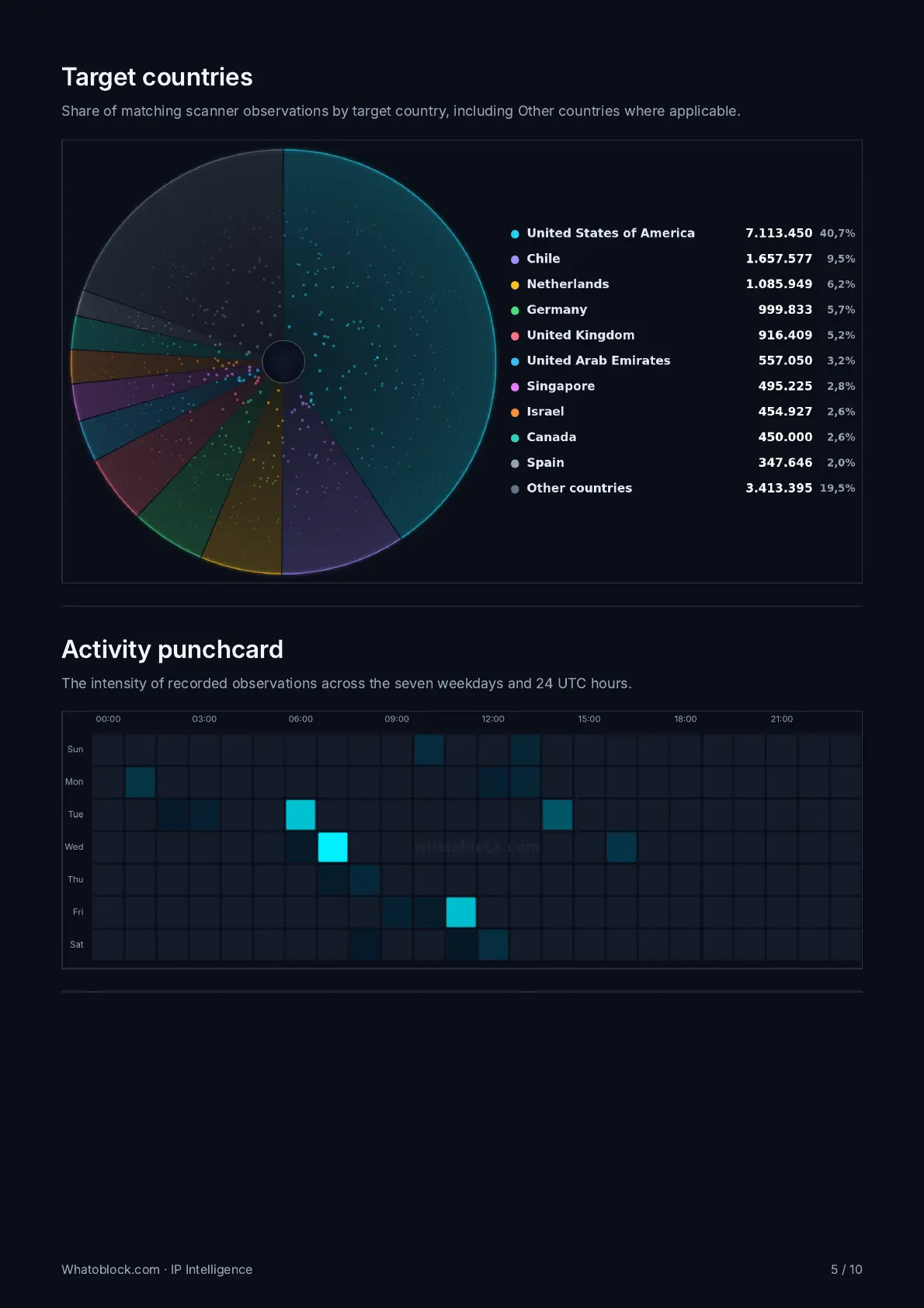
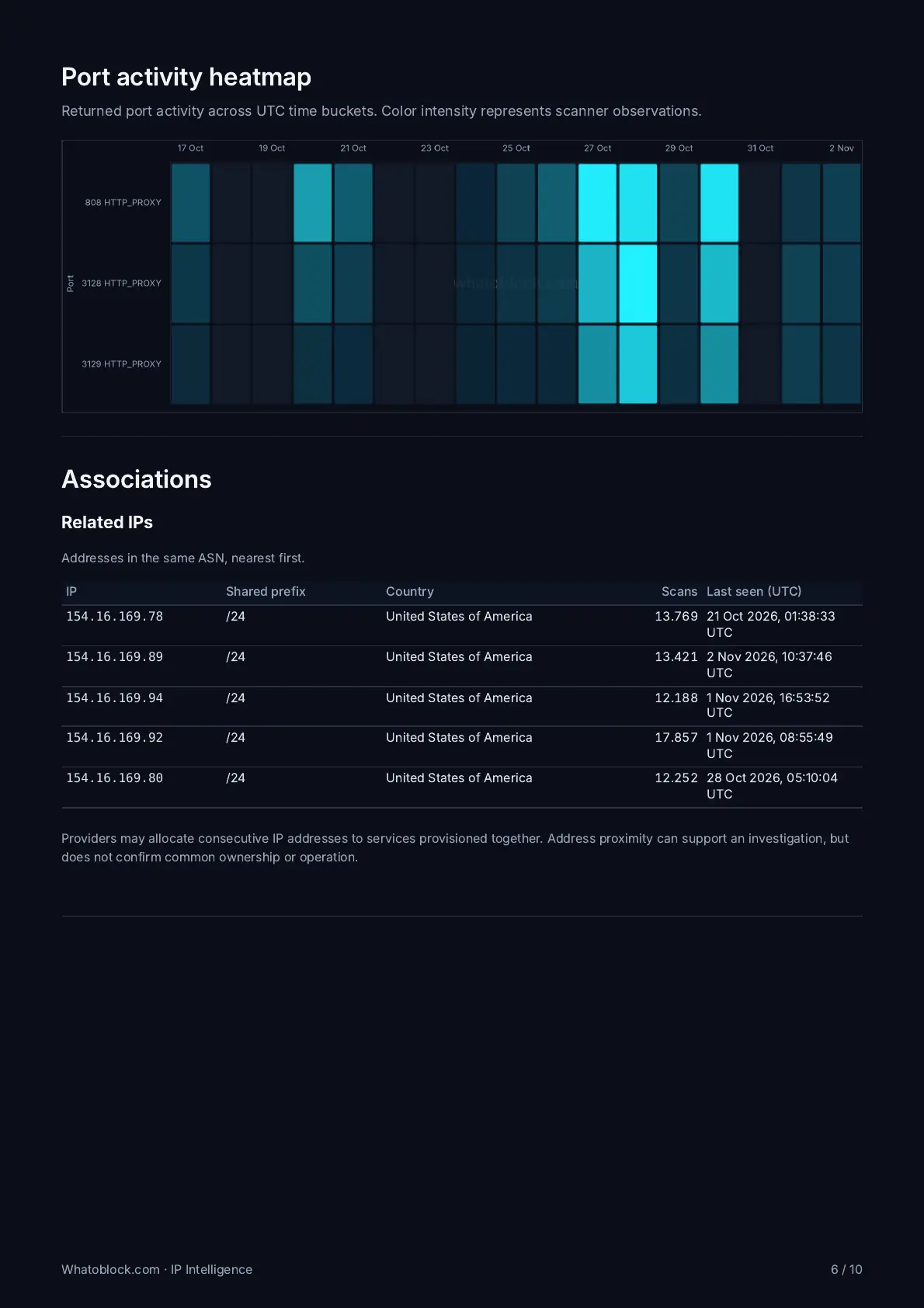
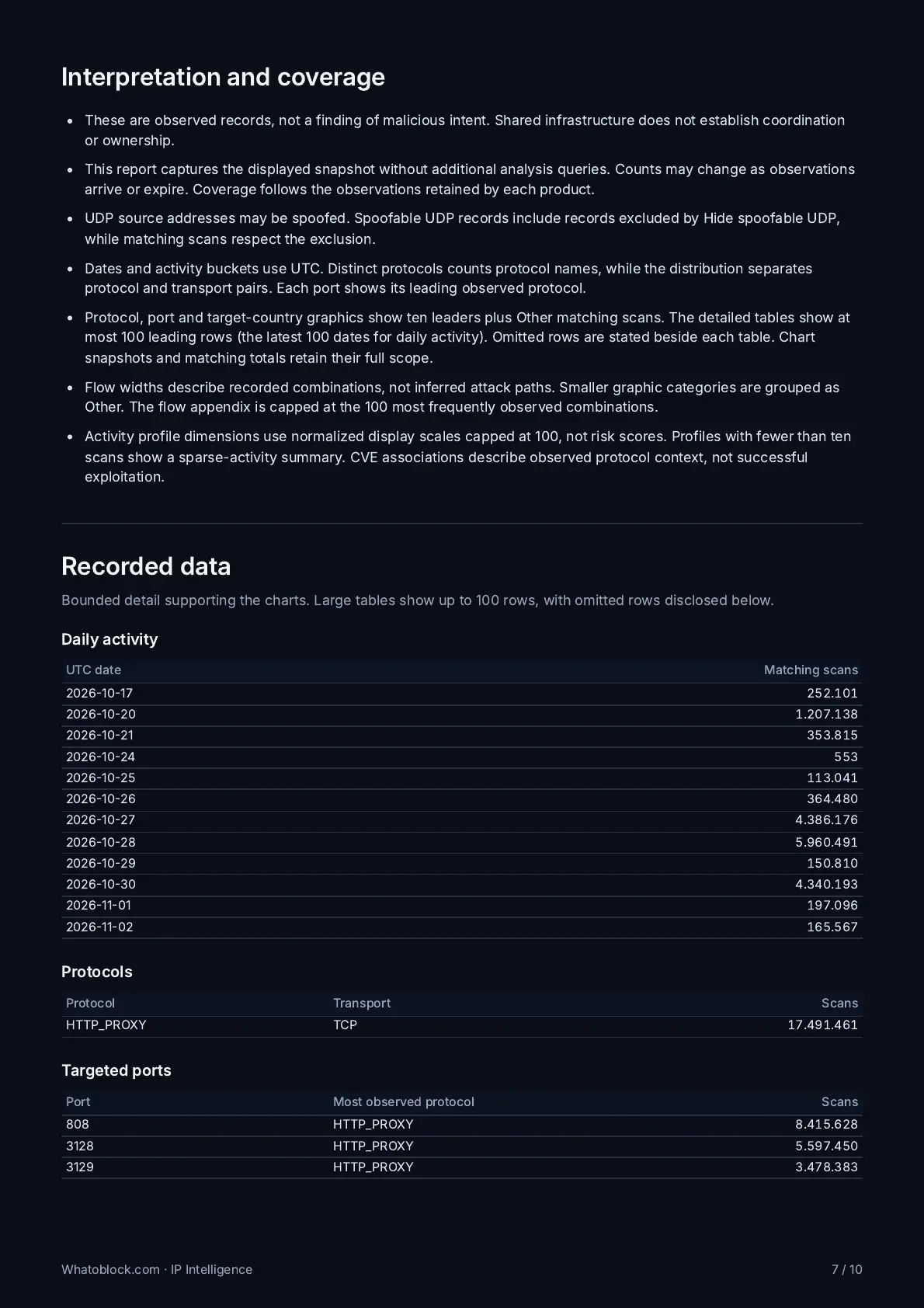
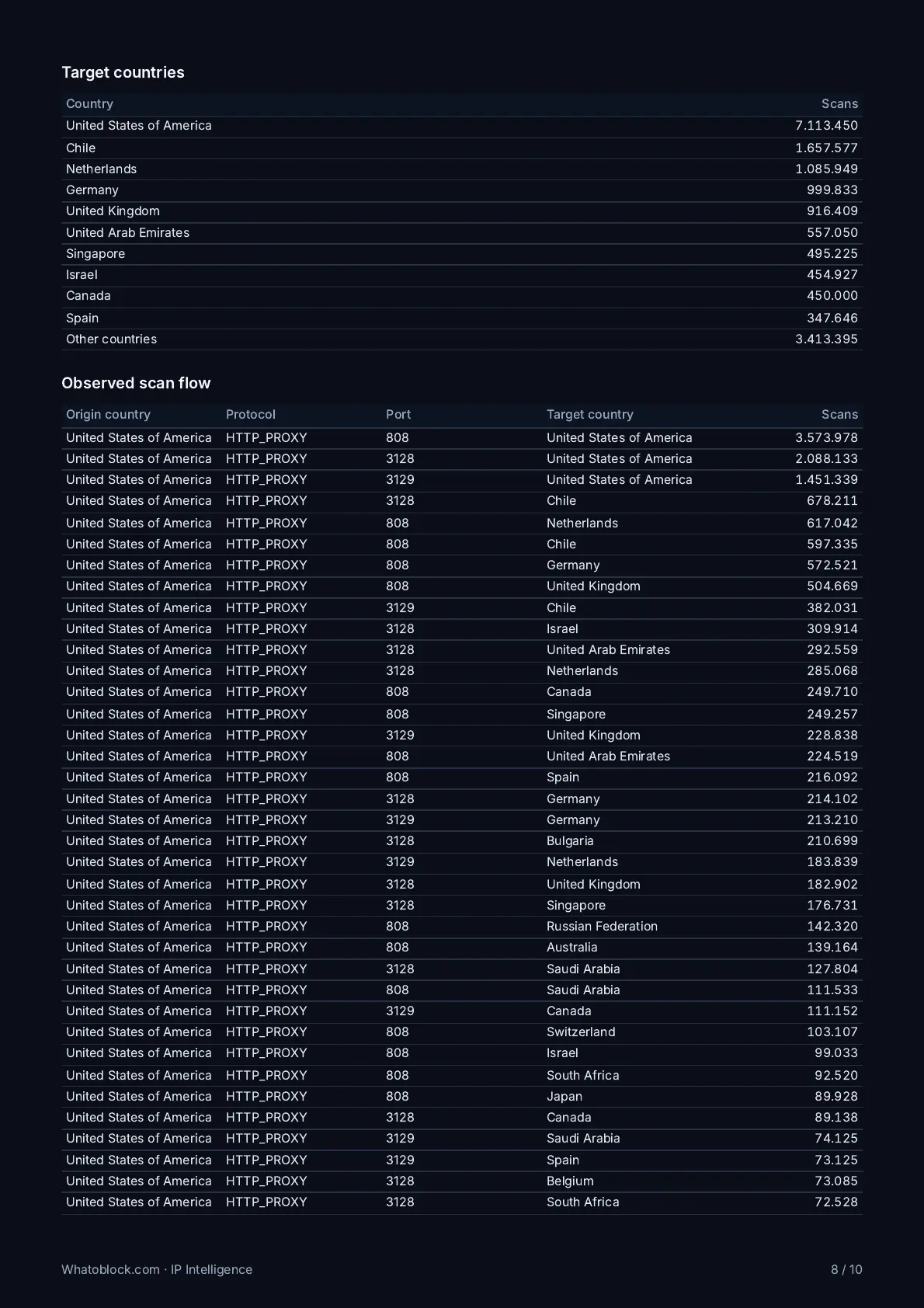
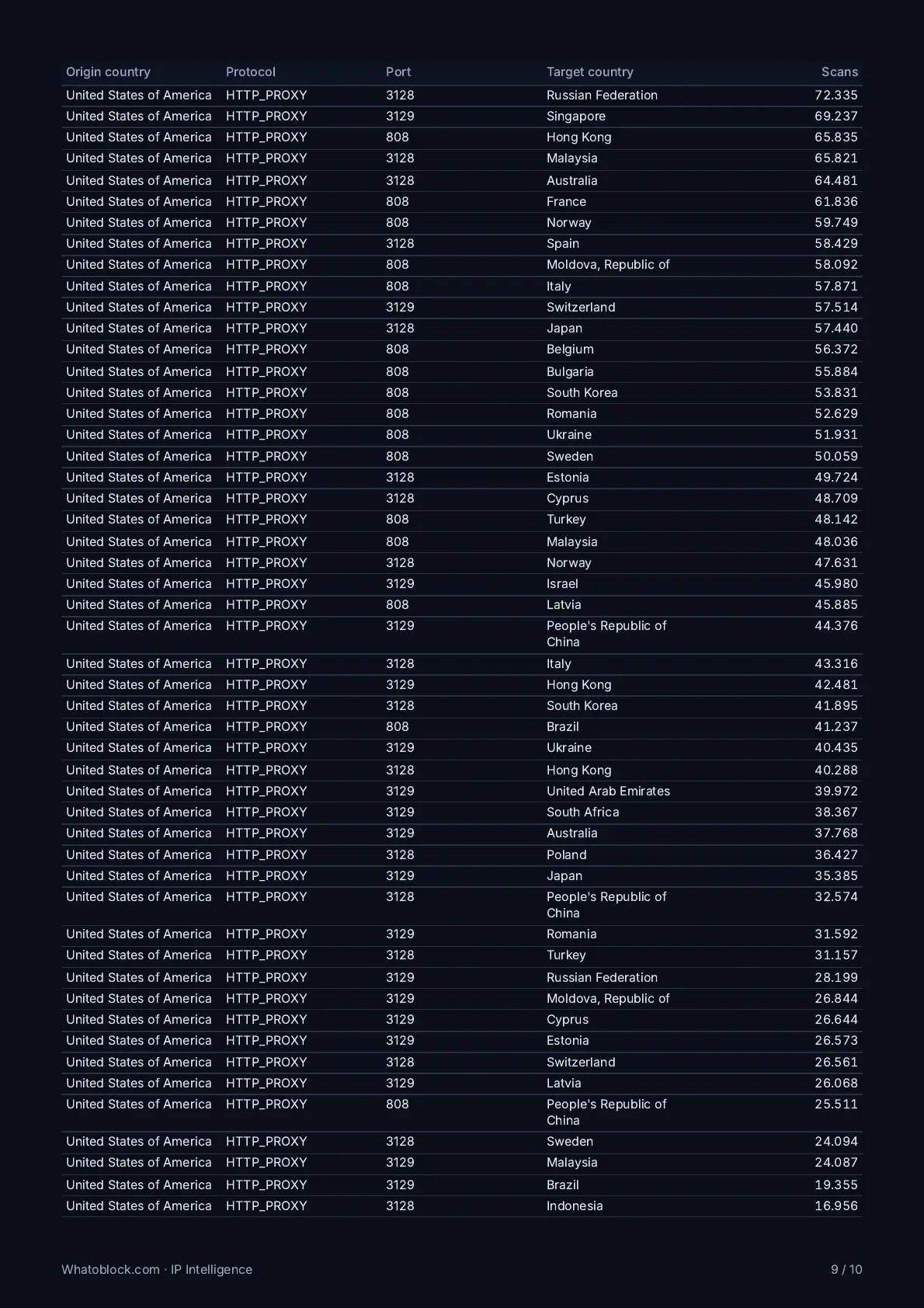
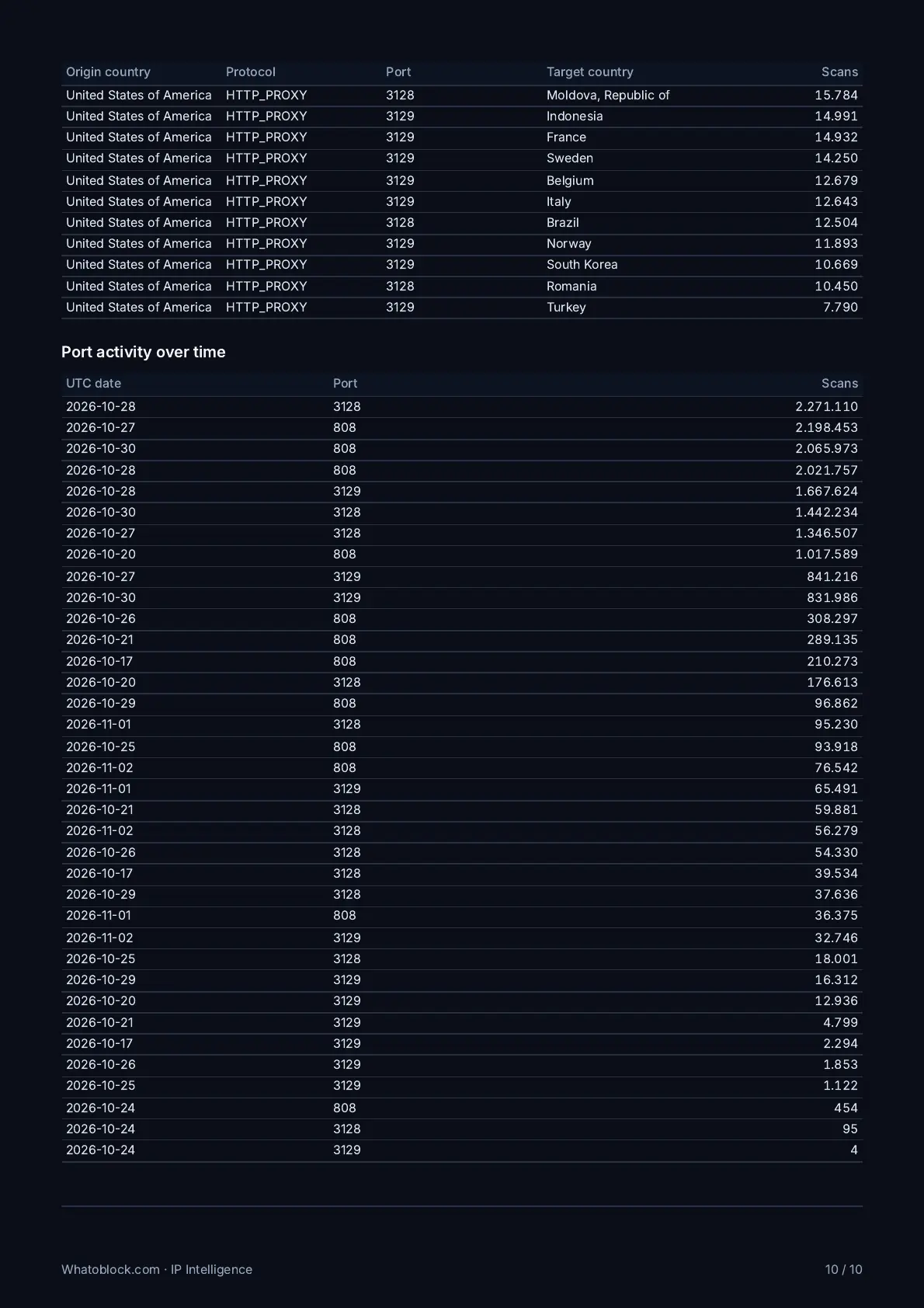
Matching scans, active days, protocols, unique payloads, the network behind the IP, and when it was first and last seen.
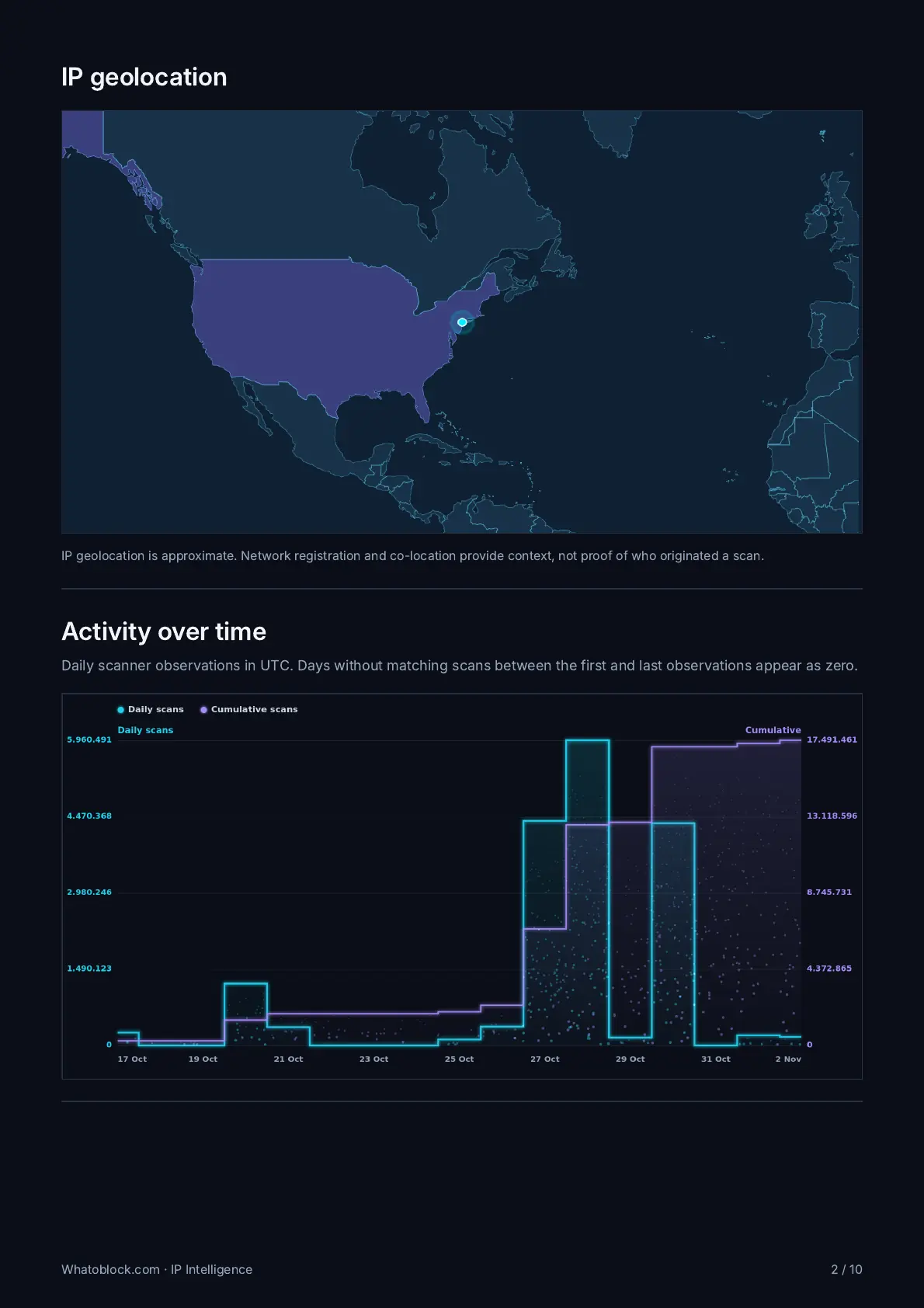
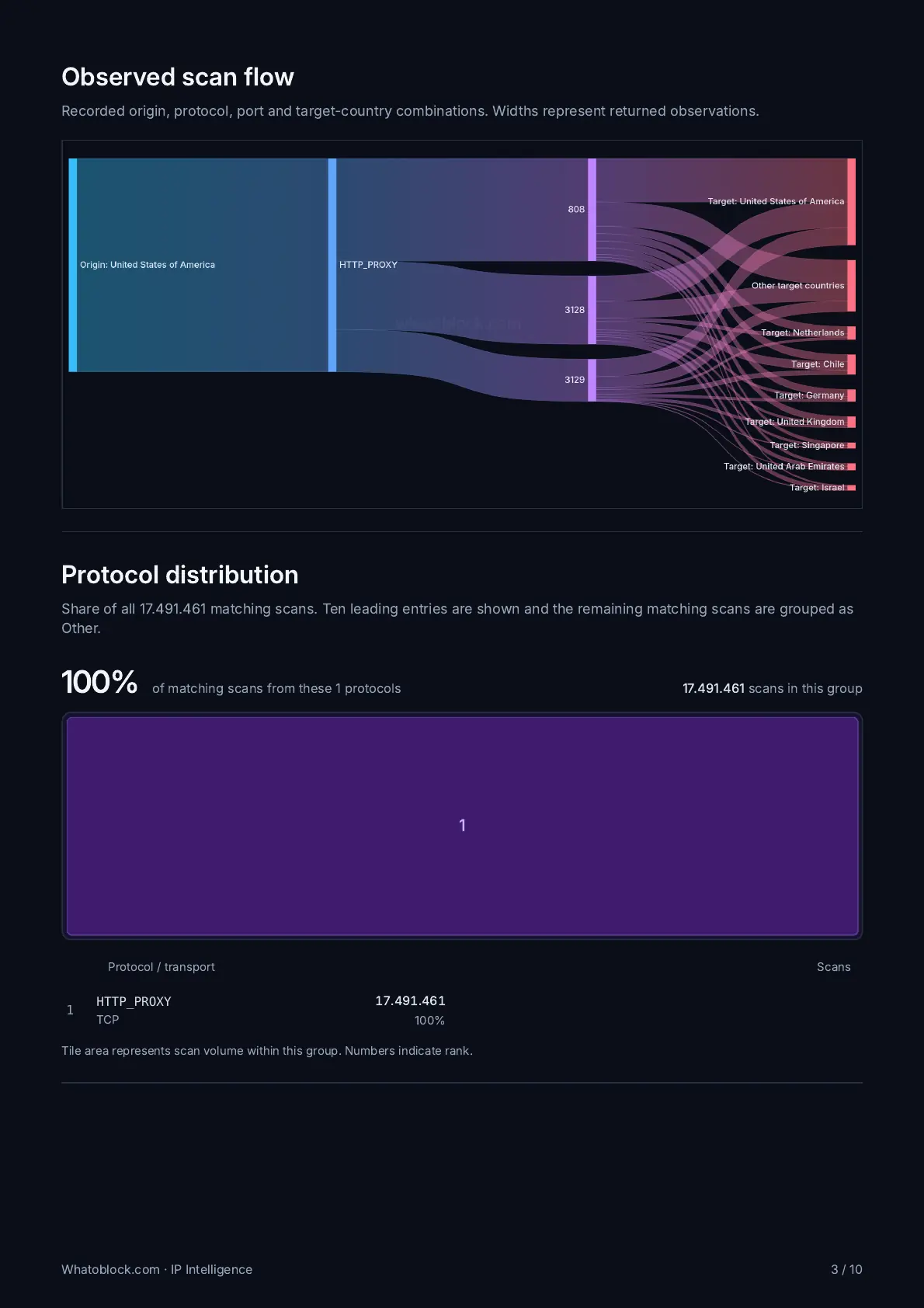
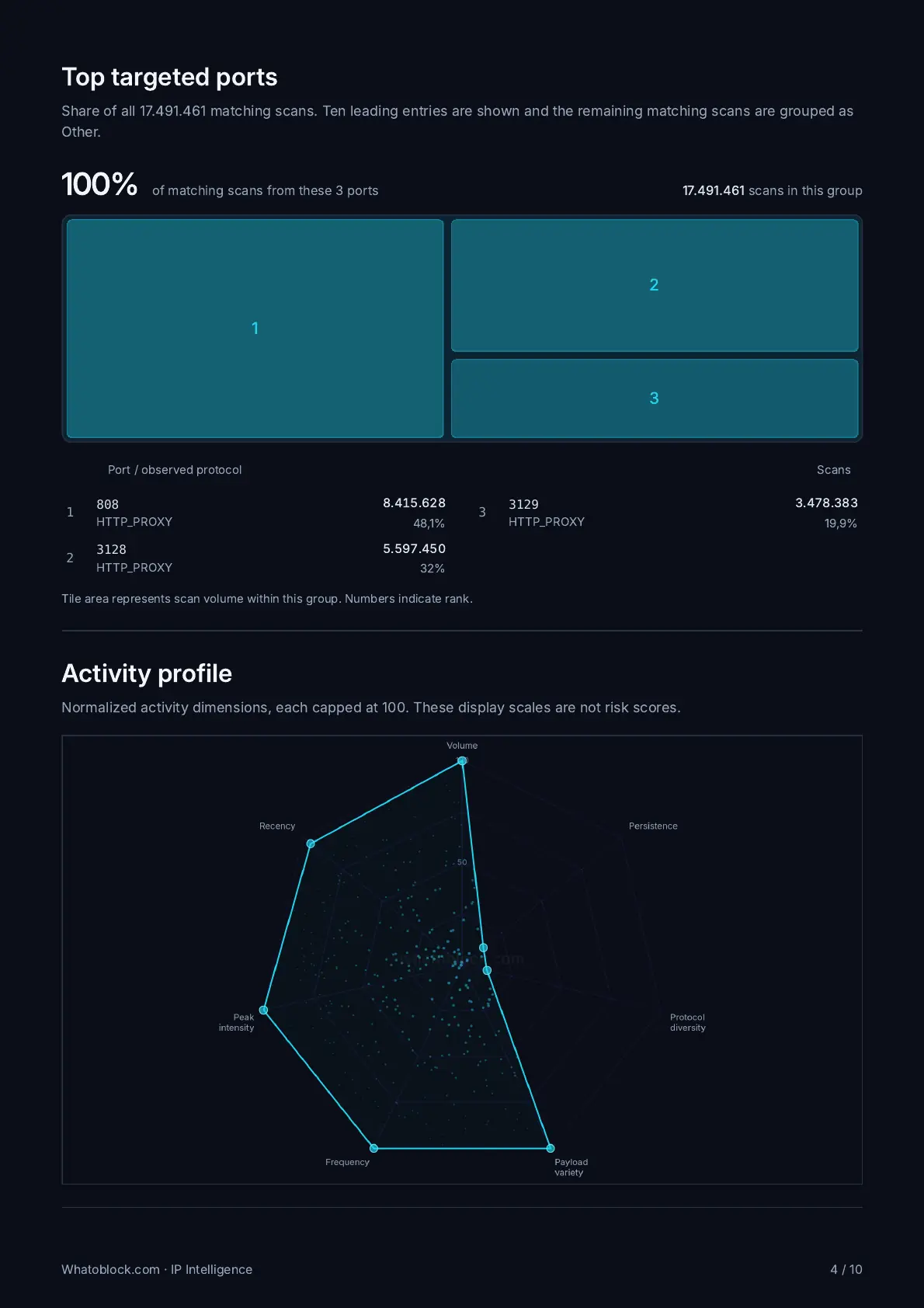
Location, activity over time, scan flow, protocols, ports and target countries, each drawn from the records behind it.
Heartbeat and botnet C2 findings for the same IP, when our sensors have them.
Download it from IP Intelligence and attach it to an abuse ticket or a notice to your customer. Included with CTI Unlimited.
Verify your AS number on Whatoblock and switch on the free daily abusive IPs report. Every day it lists up to 60 addresses from your network that our sensors saw scanning or attacking in the previous 24 hours, most active first.
Yes. The daily report is free for every verified network. On a free account each IP you open uses one of 5 lookups a day, and records go back 24 hours. CTI Unlimited lifts both limits.
Add it when you sign up as a hosting provider, or later from your profile. If your account email is on the same domain as the AS number's registered abuse contact, the number is confirmed once you verify your email. Our team reviews every other request.
From the Whatoblock sensor network, which records the scans and attacks that reach it from across the internet. My ASN shows the activity that comes from your AS number. Known research scanners are left out of the report.
No. My ASN works from data our sensors already collect. Hosting one of our honeysensors is optional and adds traffic that reaches your own network.
Scans and attacks from your addresses, and the open, residential and datacenter proxies, Tor exit nodes, DDoS sources and botnet command and control servers hosted in your address space.
Yes, with CTI Unlimited. Request the My ASN feed with your API key and choose one IP per line, CSV or JSON. It lists up to 10.000 IPs from the last 24 hours and is rebuilt at most once an hour.
Every day after 14:00 UTC. No email is sent when our sensors saw no abusive activity from your addresses that day.
An address from your AS number that our sensors recorded scanning or attacking during the previous 24 hours. The report ranks addresses by the number of hits our sensors recorded from them.
Our records can be filtered by any AS number within the free limits. Verifying yours adds My ASN and the daily report for your own network, sent only to your account. The network alerts come with CTI Unlimited.
Each account holds one AS number. To change an approved number, or to discuss several networks, contact our support team.
Every record and time range, unlimited IP lookups, exports, the abusive IPs feed, and six network alerts: open proxy, Tor exit node, residential proxy, datacenter proxy, DDoS and C2 server. It costs 69€ a month, billed yearly.
Sign up as a hosting provider, add your AS number and switch on the daily report.